
WordPress Bulletin Issue 2, has been published for the Mac operating system. Before you ask where Windows is, you can access early access by requesting it.
Until now, programs such as XAMPP and WAMP were used as local environment solutions. Recently, these programs were replaced by the Local WP program, which was preferred by many software developers due to its ease of installation and use and the fact that it did not cause any problems afterwards. It looks like WordPress Studio will replace WP Local soon. So why? Of course, the most important feature is the installation process, which takes approximately 15 seconds after downloading and 3 clicks in total.
WordPress Studio Ease of Use
If you are an old generation software developer like me, you know the pain of installing XAMPP on a computer with Windows operating system or the ports that do not work afterwards. While struggling with Php.ini, port changes, file permissions, you would have to give up your work and struggle with dozens of problems at the very first stage. Let’s be fair, WP Local solved all of these problems, but WordPress Studio offers us the opportunity to make our site work in a much simpler way. With a total of 3 clicks, yes, you read correctly, “three” clicks, your site goes live.
The first thing you need to do, of course, is to go to the WordPress Studio home page by clicking here. Then, you choose the Apple or Intel chip that is suitable for your Mac operating system.
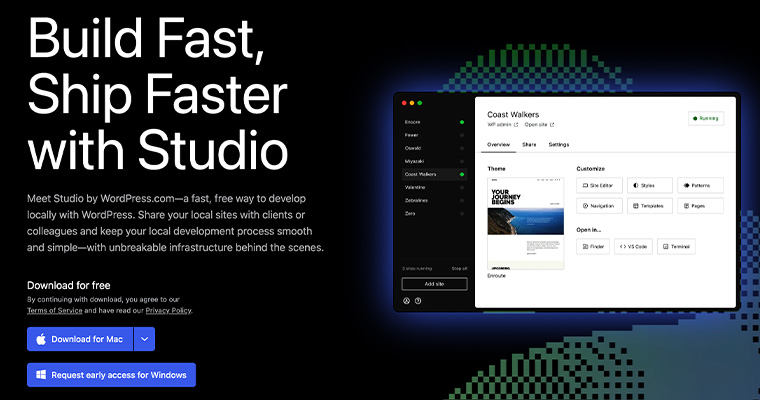
After downloading the program file, if you run it directly in the downloads folder, you will be notified that you will not be able to receive automatic updates. Therefore, you need to move the file you downloaded to the Applications folder.
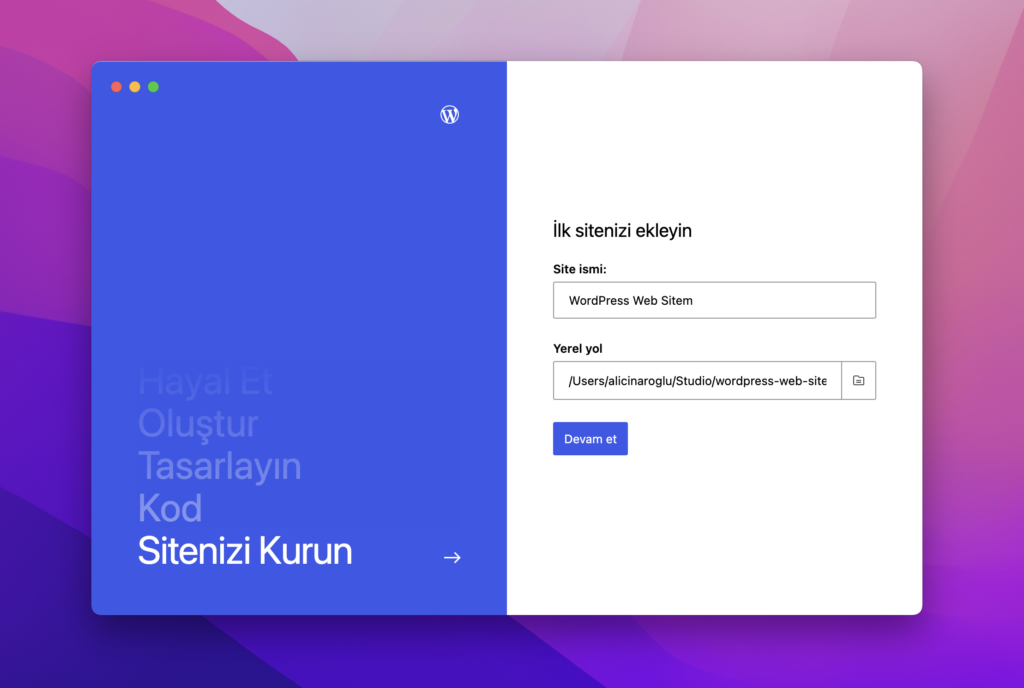
Then you run the program, type the name of your site and click Continue
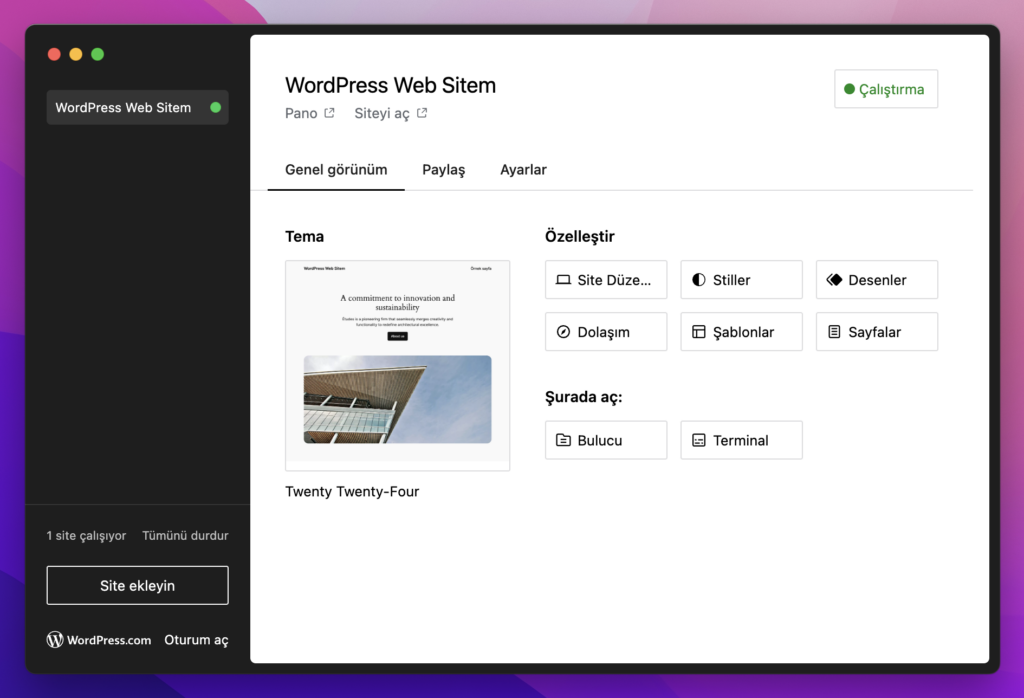
Then you will see the screen where you can choose the theme and other settings for your site
If you open the site on this screen, you can reach your site with the 3rd click
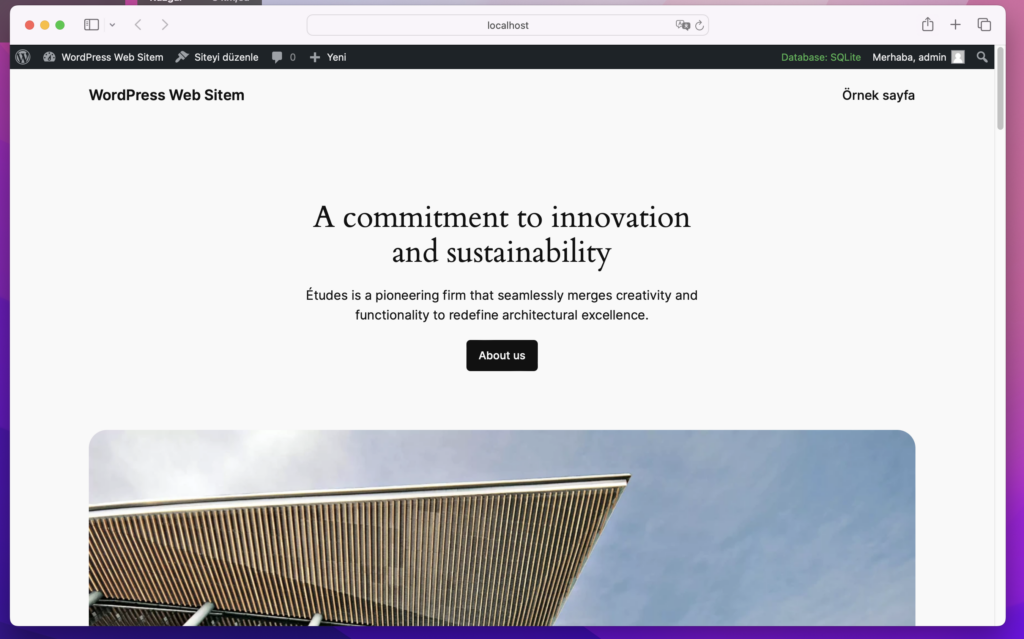
There are minor errors regarding translation in the program. These are very reasonable problems for this period, it is obvious that automatic translation is made, it will be more convenient when a professional translation is made instead.
If you want to be informed about this and similar content, you can sign up for the WordPress Newsletter at the link below.
[mailchimp]
See you soon!